Nomos Codex
A player-first guide to Oracles, light capacity, upgrades, lattice lanes, and platform controls.
Core Game Rules
Light Economy
Strategic strength in Nomos is light. Active Oracles produce light continuously up to your global capacity. Owning and upgrading Oracles raises that capacity, giving you more stationed light and stronger in-flight flows.
Upgrade Paths
Every Oracle belongs to a structural tier: Small, Medium, or Major. Reinvest stationed light into occupied Medium and Major Oracles to raise capacity, reinforce durability, and increase automatic output.
Lanes & Comets
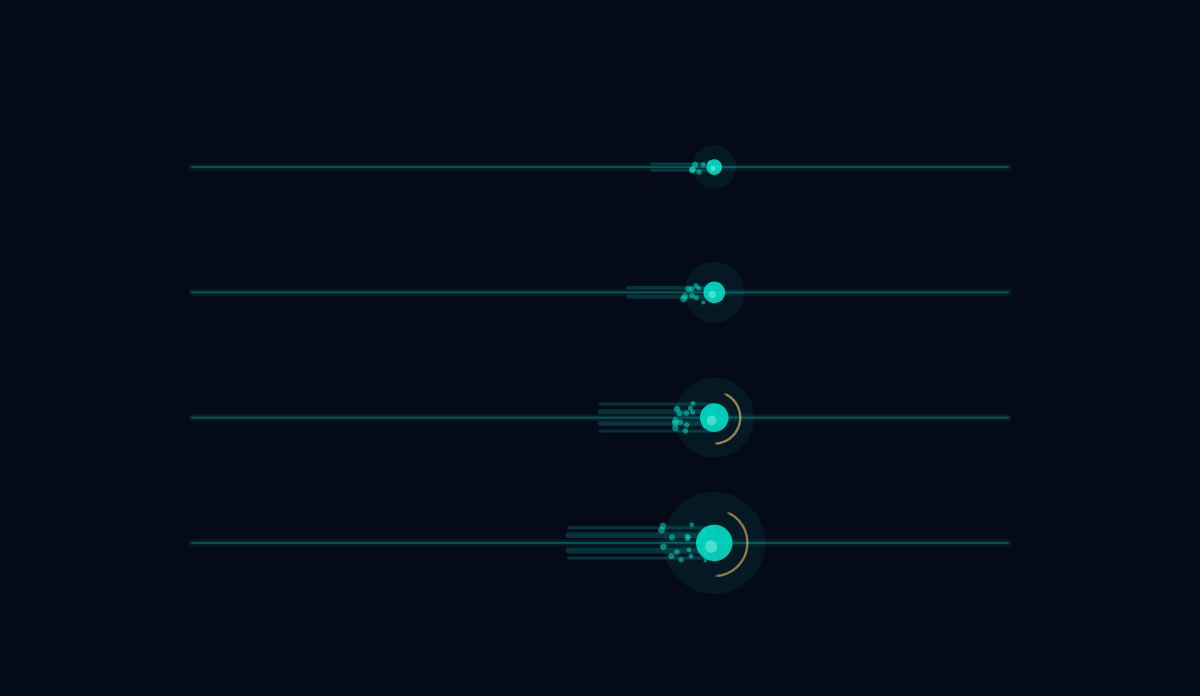
Send flows between connected Oracles. Stationed light compresses into liquid comet pulses that travel along visible lattice lanes. Opposing flows cancel in transit, while surviving light captures neutral Oracles or pressures enemy Oracles.
First 30 Seconds (How to Play)
The strategic lattice is simple once you feel it. Follow these four moves to start controlling the arena:
Oracle Upgrade Tiers
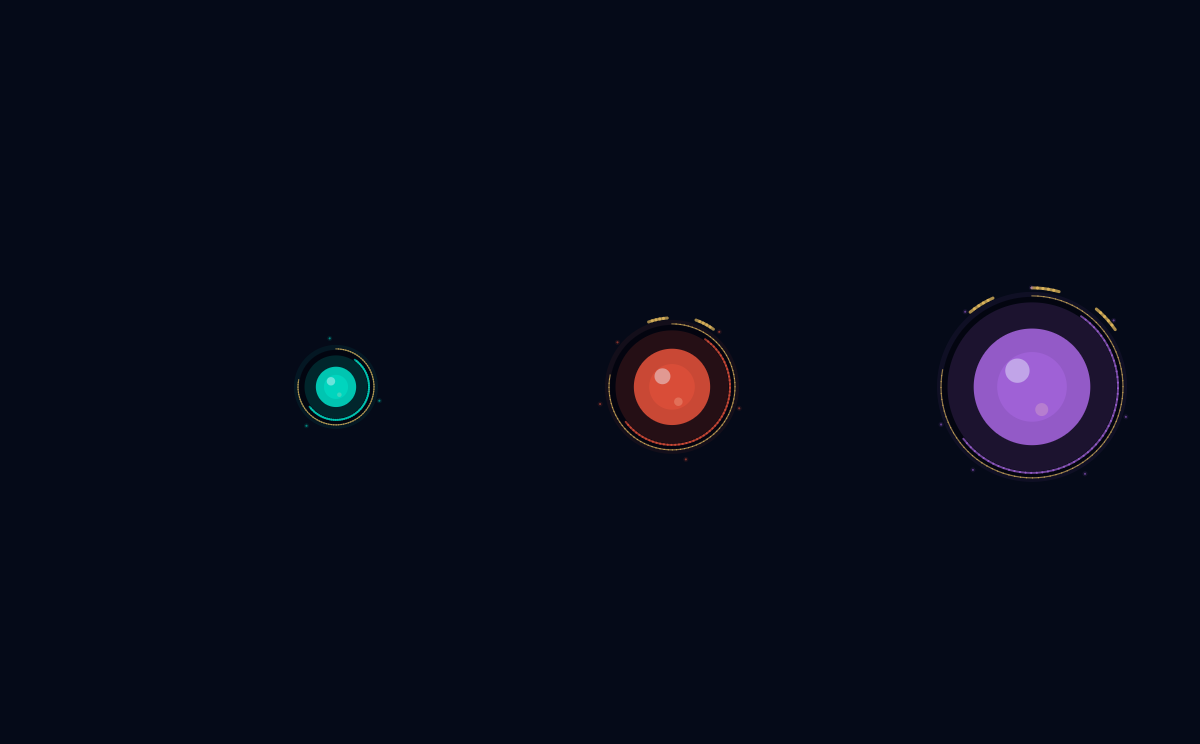
Oracles grow in structural presence and visual complexity as they are leveled up. Higher tiers introduce concentric defensive rings, continuous claim indicators, and gold crown rim marks.
Level 1: Basic Oracle
Base LevelThe fundamental foundation. Features a single glowing, breathing ring shroud surrounding a calm liquid core. Standard for all Oracles (Small, Medium, Major) immediately upon claim.
Level 2: Resonant Oracle
35 Light CostAdds a second concentric outer ring for defense and two gold crown rim marks. Accessible on Medium and Major Oracles. Accelerates light output and adds +15 (Medium) or +20 (Major) to player-wide Light Cap.
Level 3: Fortress Oracle
50 Light CostThe absolute zenith of sacred geometry. Adds a third outer halo and three gold crown rim marks. Accessible ONLY on Major Oracles. Maximizes structural durability and boosts your global Light Cap contribution to +70.
Neutral Oracle
UnoccupiedAn unclaimed, inert lattice node. Awaiting strategic capture. Yields no light and provides zero capacity bonuses until claimed by sending light along connected lanes.
Oracle Classifications
Every Oracle in the arena has a clear gameplay role: quick expansion, durable anchors, or major capacity control.
Small Oracle
Cap: Level 1Small expansion anchor. Cannot be upgraded. Fast and cheap to occupy, useful for flanks, staging, and securing peripheral lanes.
Medium Oracle
Cap: Level 2Standard structural backbone. Upgradeable up to Level 2 (Upgrade Cost: 35). Forms the defensive core and holds key choke lanes, expanding your player-wide Light Cap.
Major Oracle
Cap: Level 3Fortress bastion. Upgradeable up to Level 3 (Upgrade Costs: L2=35, L3=50). Massive capacity Cap yield designed to sustain and repel heavy combat flows.
Opponent Profiles
Heuristic Presets
Nomos bots read the same board state as the player and act through five difficulty personalities:
- Relaxed: Extremely patient and defensive. Focuses on peaceful expansion, upgrade accumulation (185 bias), and defensive buffer reserves (42% reserve ratio). Operates with a 1250ms reaction latency and a 5 Actions Per Minute (APM) limit.
- Standard: Balanced strategic baseline. Maintains moderate aggression (82), standard expansion (112), and active upgrades (118) with a 420ms reaction delay and 20 APM limit.
- Focused: Highly reactive pressure bot. Sharp focus on counter-attacking (135 bias), punishing weak enemy configurations (120 bias), and aggressive lane choking with a 100ms reaction latency and 60 APM limit.
- Ruthless: Aggressive powerhouse. Relentless offense (170 bias), high risk tolerance (160), and very low defensive buffer reserves (25% ratio). Mounts heavy multi-front attacks with 40ms reaction delay and 100 APM limit.
- Nightmare: Hyper-accelerated combat engine. Executes near-instant moves (10ms reaction delay, 140 APM limit) with crushing aggression (185) and extreme multi-front lane pressure.
Advanced Reinforcement
The ultimate competitor is trained through self-play and reads the same player-relative board state as a human. It creates positional lures and lane-intercepting flows without hidden map knowledge or cheat-only metadata.
Controls
Desktop Controller Mappings
Mobile Touch Interface
Technical Visual Blueprints
Visual sheets exported from the game pipeline so website art stays aligned with the native renderer.
Oracle Structural Audit Sheet
Official visual calibration sheet showing Small, Medium, and Major Oracle profiles across their respective base, resonant, and fortress layers.
Interactions & Transitions
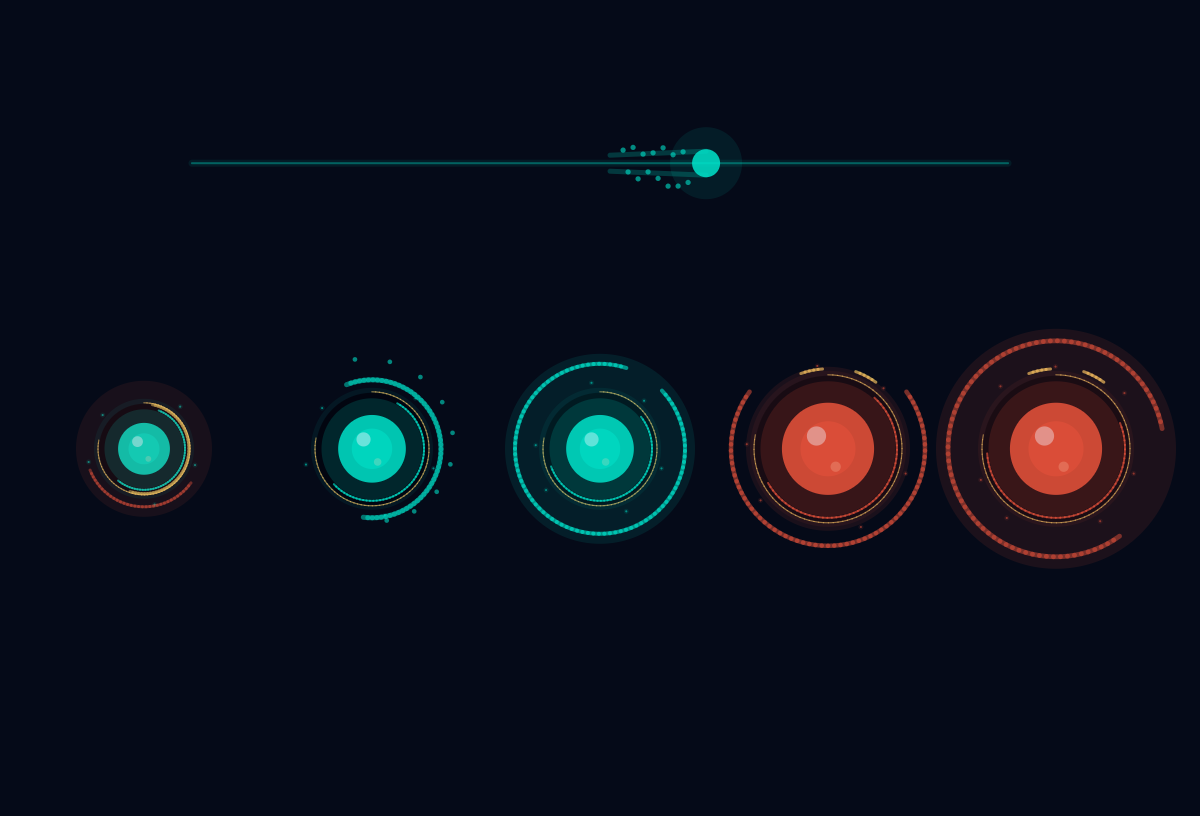
The 5 core interaction states of the simulation: Neutral Oracle capture claiming, successful capture bloom, damage alarms (under attack), tier downgrades, and core loss.
Light Flow & Comet Physics
Flow calibration showing how stationed light becomes visible comet pulses traveling across lattice lanes.